Which JTLGO service do you need? Buying, warehouse, packing and shipping
Answer two questions. Has the product been bought yet? If not, use Buy from China and JTLGO buys it for you; if you already bought it, use Ship my goods. Do you want JTLGO to ship it abroad? If not, JTLGO packs it and hands it to your own forwarder.
Where to find it on the site
- Services
On a phone, these are in the menu at the top right.
Have these ready
- Know whether you have already bought the goods
- Know whether you have your own forwarder
-
Step 1: Start from the home page
The home page has two starting points, one for each case.
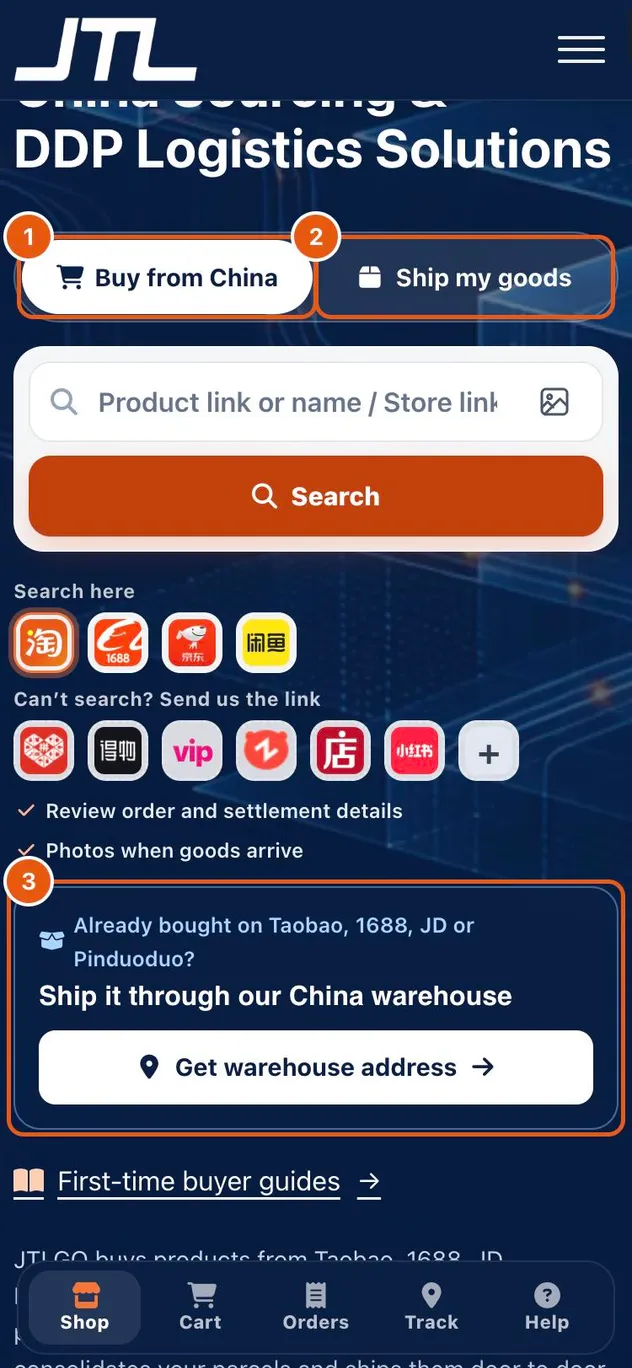
- Buy from China: search or paste a link, and JTLGO buys the goods for you.
- Ship my goods: you have bought the goods yourself and want them shipped.
- Get warehouse address: the receiving address to give your seller.
-
Step 2: Pick a service plan
In the service center you can build the exact plan. Warehouse and packing always come together; add shopping and JTLGO shipping only when you need them.
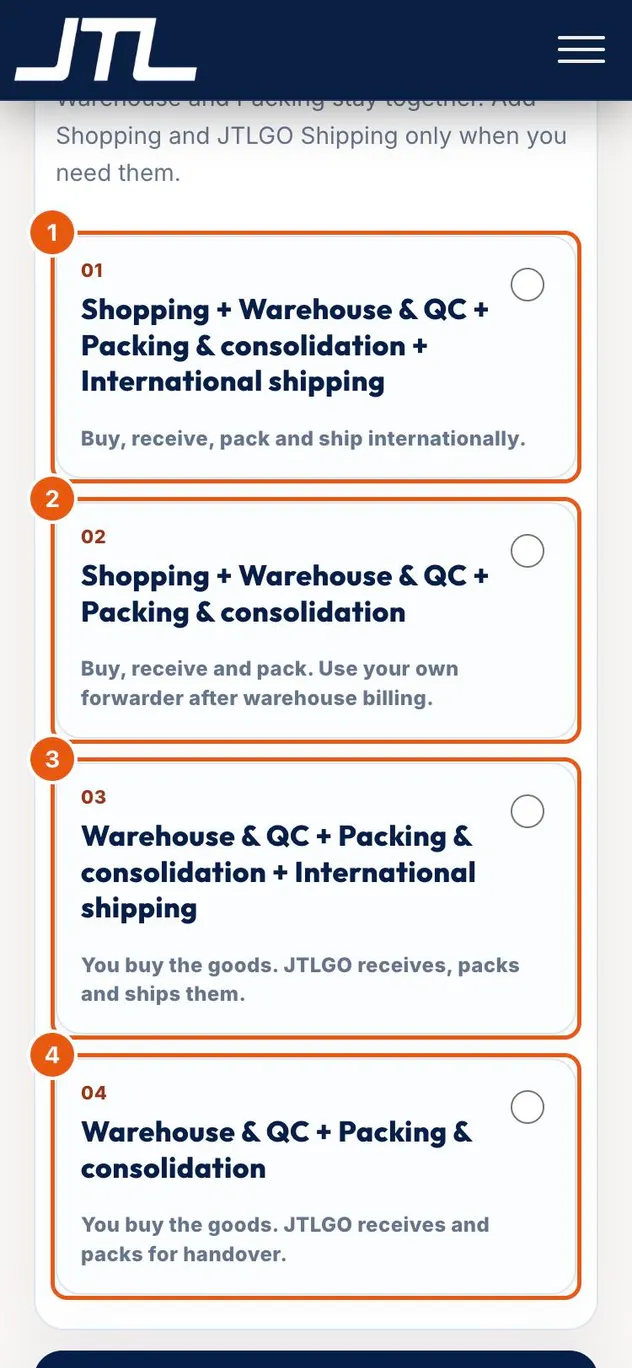
- Shopping + warehouse + packing + international shipping: buy, receive, pack and ship internationally.
- Shopping + warehouse + packing: buy, receive and pack, then use your own forwarder after warehouse billing.
- Warehouse + packing + international shipping: you buy the goods; JTLGO receives, packs and ships them.
- Warehouse + packing: you buy the goods; JTLGO receives and packs them for handover.
What happens next
Need help finding a supplier before you buy? Supplier search, quote comparison, MOQ review and sample planning are handled as a separate sourcing request.
Common questions
Can I use my own freight forwarder?
Yes. Choose a plan without international shipping. JTLGO receives and packs the goods, and your forwarder collects them after warehouse billing.
Do I have to use the warehouse and packing service?
Yes. Warehouse & QC and Packing & consolidation are part of every plan; only shopping and JTLGO international shipping are optional.
What if I am not sure which plan fits?
Start with Buy from China or Ship my goods on the home page, or contact support with a short description of your order.
Related
Was this page helpful?
Still stuck? Send us a link to this page and tell us which step you’re on.
Contact support