How dropshipping with JTLGO works
Connect your online store to your JTLGO account, pick products from 1688 and publish them to your store at your own price. When a customer orders, the order comes to JTLGO and is paid from your JTLGO wallet. We buy the item from the factory, pack it in our China warehouse and ship it to your customer.
Where to find it on the site
- Account
On a phone, these are in the menu at the top right.
Have these ready
- A JTLGO account with a verified email
- A WooCommerce or Shopify store
- Money in your JTLGO wallet to pay for orders
-
Step 1: Connect your store
In your JTLGO account, open Store connections and choose your platform. A WooCommerce store connects in a few minutes. Dropshipping is in a pilot: Shopify stores are set up together with us, so contact support before you start.
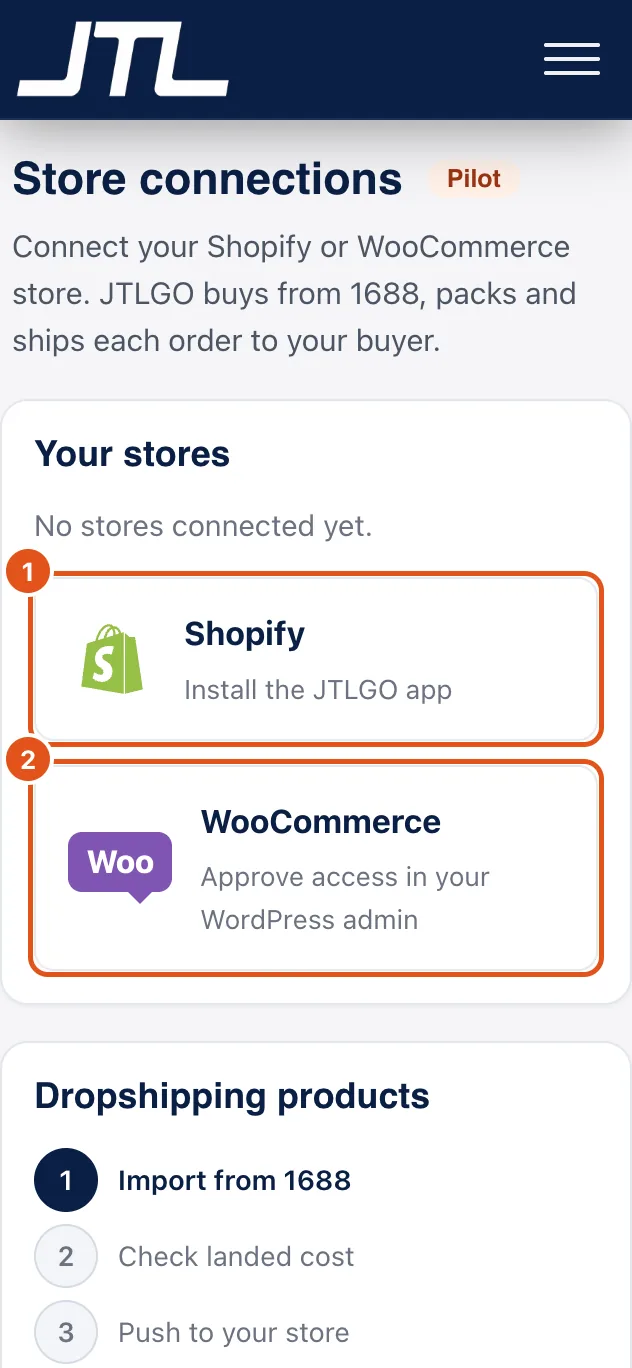
- Shopify: during the pilot we set up the connection with you. Contact support first.
- WooCommerce: enter your store address and approve access in your WordPress admin.
-
Step 2: Add products and set your price
Paste a 1688 product link and JTLGO shows what each variant costs delivered to your customer. Choose your markup and publish the product to your store as a draft, then check it in your store and make it live.
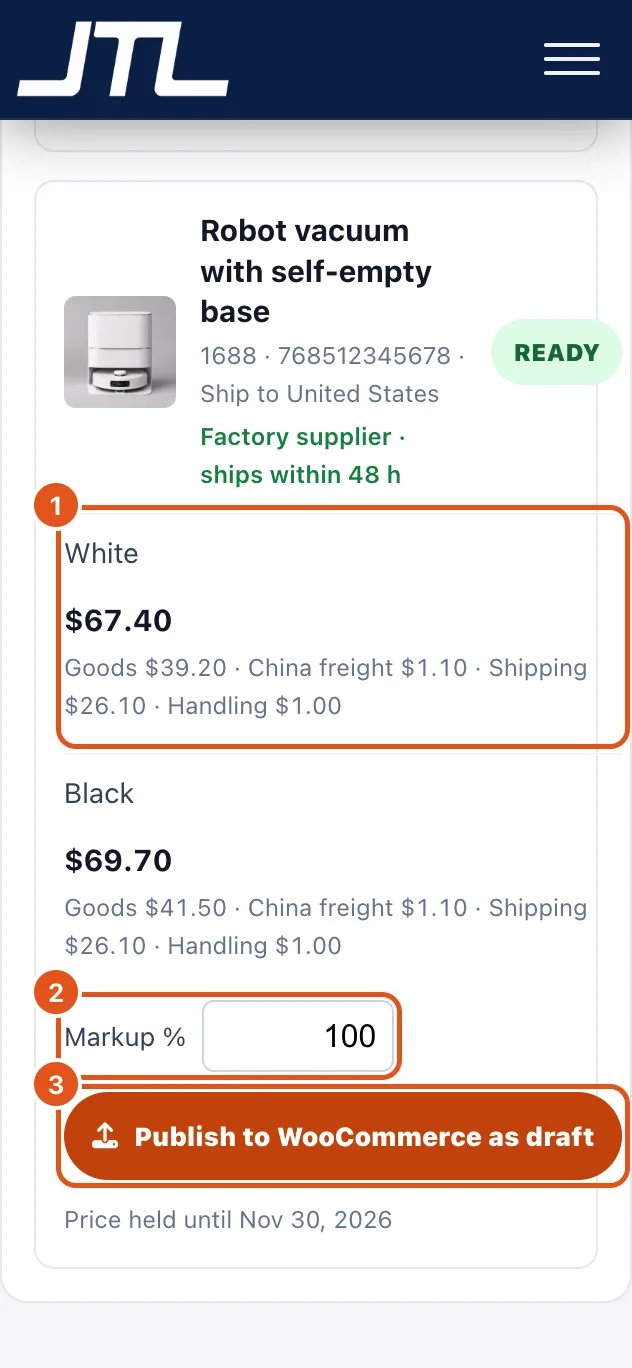
- The delivered cost of one piece: goods, China freight, international shipping and handling.
- Markup: your selling price is the delivered cost plus this percentage. 100% doubles it.
- Publish the product to your store as a draft.
-
Step 3: Keep money in your wallet
Every order is paid from your JTLGO wallet, shown as Refund balance under Account › Wallet. If there is not enough, the order waits and we email you the amount to add. To add money, contact support.
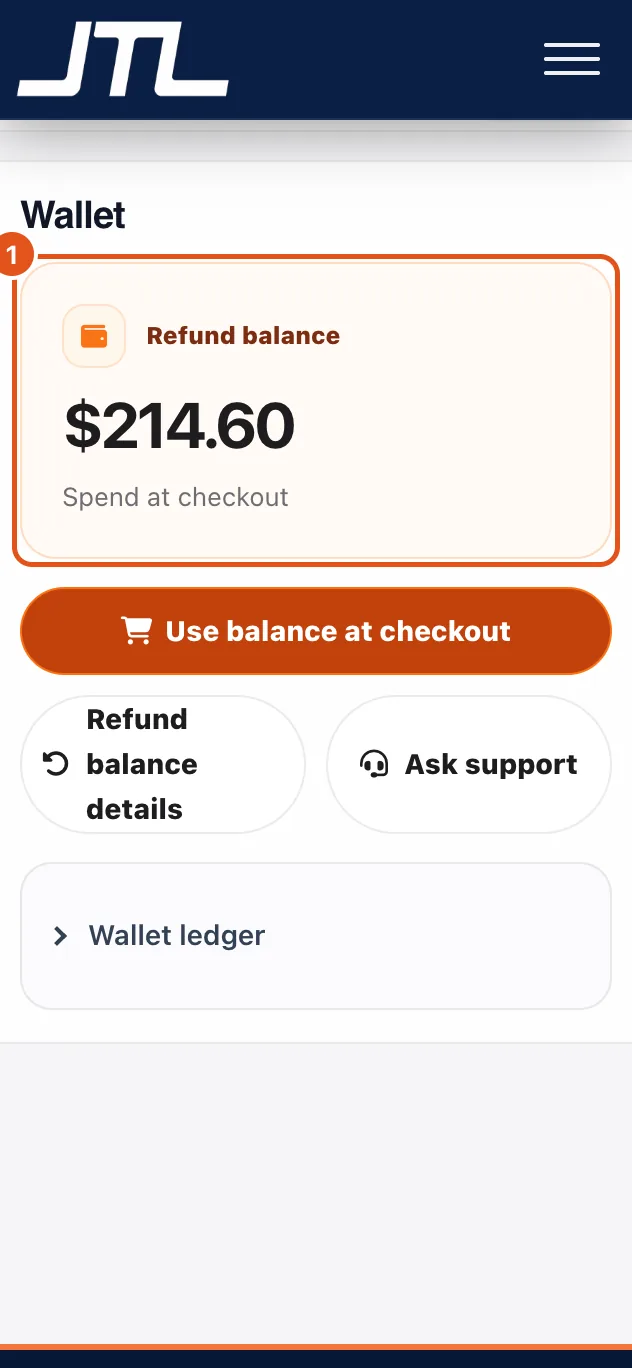
- Your wallet balance in US dollars. Orders are paid from it automatically.
What happens next
When an order is paid, JTLGO buys the item from the factory, receives it at our China warehouse, packs it and ships it to your customer. When the parcel is handed to the carrier, the tracking number is added to the order in your store.
Common questions
Do I need to buy stock in advance?
No. JTLGO buys one piece for each order. Only factory sellers that sell single pieces, have stock and ship within 3 days can be imported.
Which countries can I sell to?
At the moment: the United States, the United Kingdom, Germany, France, Italy, Spain, Poland, Portugal and Canada. The Ship to list on the import form always shows the current countries. Import a product once for each country you sell to.
Who pays import duties?
For the United States, duties are included in the delivered cost. If you sell to the UK or the EU, you may need to charge VAT to your buyers (UK VAT or EU IOSS). Check with your tax adviser.
Are WooCommerce orders sent to JTLGO by themselves?
Yes. When an order is paid and turns Processing, the lines for products you published from JTLGO are sent to us. Your other products stay with you.
I don't use Shopify or WooCommerce. Can I still dropship?
Yes, if your own system (for example an ERP or a custom store) can be connected through the JTLGO API. See Connect your own system to JTLGO.
Related
Was this page helpful?
Still stuck? Send us a link to this page and tell us which step you’re on.
Contact support